



ARTICLE CONTENTSOn this page 10 sections
Ngwa nkụzi dijital dị iche iche
Performance Objectives
By the end of the lesson, students should be able to:
- inye nkọwa mfe maka ịntanet na ngwa dijital;
- ịrụgosi ngwa dijital dị iche iche;
- ịkọwa na iwebata ngwa nkụzi dijital dị iche iche dị n’ịntanet n’ịgụ ihe n’Igbo;
- ịkọwa na iji ngwa nkụzi dijital dị iche iche adịghị n’ịntanet agụ ihe;
- iji kọmputa na ngwa dijital rụọ ọrụ ma gosi uru ha bara n’ọgụgụ.
Meaning of Internet and Digital Tools
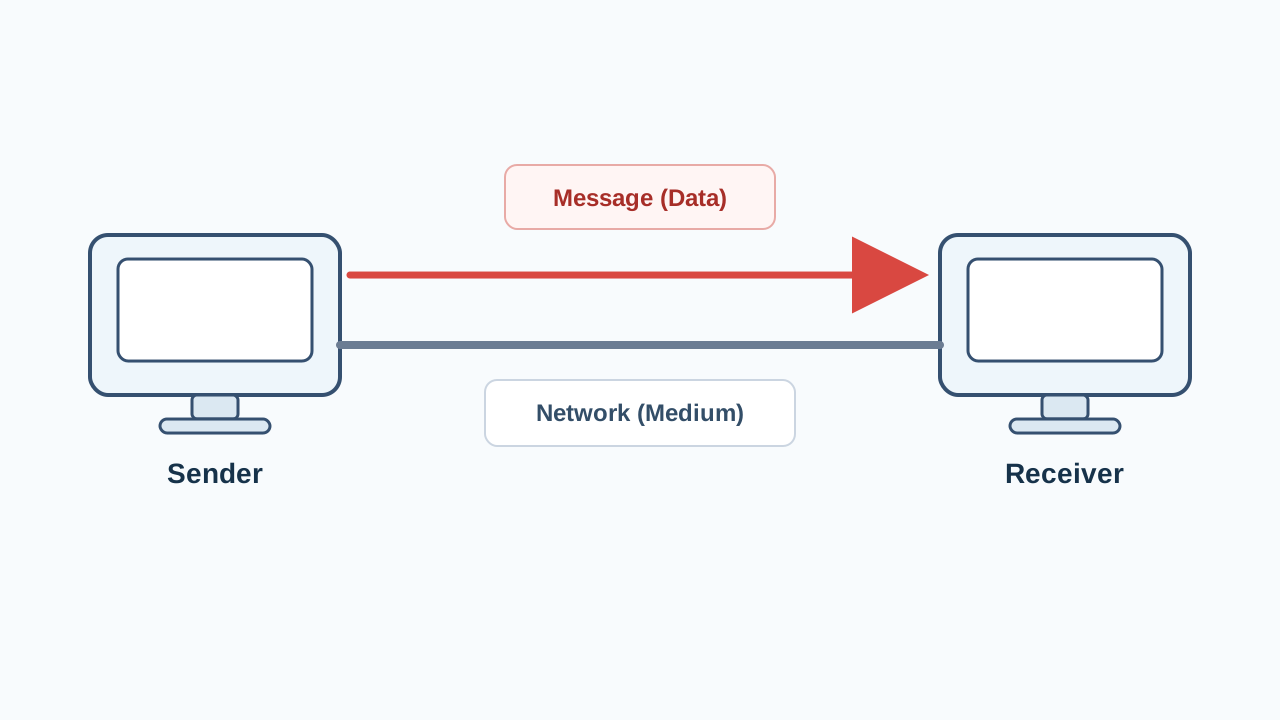
The internet is a global network of computers and electronic devices connected together to share information and communicate across the world.
In Igbo, the internet is referred to as ịntanet. It acts as a massive digital library where learners can access books, videos, dictionaries and educational games from anywhere in the world.
A digital tool is any electronic device, software application or online platform that helps people perform tasks, learn, create and share information.
In Igbo, digital tools are called ngwa dijital. These tools include physical hardware like computers and smartphones, as well as software applications like reading apps, websites and social media platforms.
Various Digital Tools and Their Functions
Digital tools can be grouped into hardware (physical devices) and software (applications and platforms). These tools help students learn the Igbo language more effectively by improving reading, pronunciation and vocabulary skills.
Common digital tools used in education include:
- Kọmputa (Computer): An electronic device used to store, retrieve and process data. It is used to read electronic books (e-books), watch educational videos and write essays.
- Ekwentị (Smartphone/Telephone): A portable handheld computer used for communication, accessing the internet, running educational apps and reading digital texts.
- Projektọ (Projector): A device that projects images or videos from a computer onto a large screen or wall, allowing an entire classroom of students to view a lesson together.
- Data (Internet Data): The digital subscription or cellular service that allows electronic devices to connect to the internet.
- I-meelụ (Email): An electronic mail service used to send and receive digital messages, documents and assignments over the internet.
- Zuum (Zoom) and Gọgụl miit (Google Meet): Video conferencing applications that allow teachers and students to hold virtual classes, discussions and reading sessions in real time.
- Tim vuwa (TeamViewer): A software application that allows one computer to access and control another computer remotely, which is useful for technical support and collaborative learning.
- Wasaap (WhatsApp) and Fesbuk Aapụ (Facebook App): Social media and messaging platforms used to share educational materials, hold group discussions and practice writing in Igbo.
- Ọkọwa okwu (Dictionary) and Ọkọwa okwu ịntanet (Online Dictionary): Reference tools used to look up the meanings, spellings and pronunciations of words. Online dictionaries often include audio features to help learners hear how Igbo words are pronounced.
- Asụsụ mkparịta Robọt (Chatbot/AI Chat): Interactive software programs powered by artificial intelligence that can converse with users, answer questions, translate sentences and help learners practice conversational Igbo.
- Ihe ngosi digital ọwa ikuku (Digital Media/Broadcast Display): Digital television channels, podcasts and online streaming platforms that broadcast educational programs in the Igbo language.
- Ntinyendụ na mmekọọzọ (Social Media and Interactive Apps): Interactive applications that encourage active participation, language games and collaborative learning among students.
Observe the image below showing various digital tools used in modern learning.
Using Online Digital Tools for Reading in Igbo
Online digital tools require an active internet connection (data) to function. These tools connect learners to live resources, teachers and interactive platforms that make reading Igbo engaging and collaborative.
Ways of using online digital tools to read and study Igbo include:
- Virtual Classrooms: Students use Zoom or Google Meet to join live reading sessions where the teacher reads an Igbo text aloud, and students take turns reading and receiving immediate feedback on their pronunciation.
- Online Dictionaries: When reading an Igbo passage online, students can copy unfamiliar words and paste them into online Igbo dictionaries to instantly find their meanings, parts of speech and English translations.
- Interactive Chatbots: Learners can type Igbo sentences into a chatbot (asụsụ mkparịta robọt) to check if their grammar is correct, or ask the chatbot to generate short stories in Igbo for reading practice.
- Educational Social Media Groups: Teachers and students use WhatsApp or Facebook groups to share PDF books, voice notes of Igbo pronunciations and daily vocabulary challenges.
The following is a short reading passage in Igbo. An online dictionary can be used to look up the bolded words:
Ịntanet na ngwa dijital na-enyere ụmụakwụkwọ aka n’ọgụgụ ihe. Ọ na-eme ka agụmakwụkwọ dị mfe. Site n’iji ekwentị na kọmputa, anyị nwere ike ịchọta ọkọwa okwu ga-akọwara anyị ihe mkpụrụokwu ndị siri ike pụtara. Nke a na-eme ka nzikọrịta ozi na mmụta na-aga n’ihu ngwa ngwa.
The English translation of the passage is:
The internet and digital tools help students in reading. It makes education easy. By using phones and computers, we can find dictionaries that will explain the meanings of difficult words to us. This makes communication and learning progress quickly.
The meanings of the bolded words from the passage are:
- Agụmakwụkwọ: Education / Learning
- Ọkọwa okwu: Dictionary
- Nzikọrịta ozi: Communication
Using Offline Digital Tools for Reading
Offline digital tools do not require an active internet connection to work. These tools are highly useful in areas where internet access is limited, unstable or expensive. Once the materials are downloaded or installed on a device, they can be accessed at any time.
Ways of using offline digital tools to read include:
- Offline E-books and PDF Readers: Digital textbooks, storybooks and comprehension passages can be downloaded onto a computer or smartphone. Students can open and read these files offline using PDF readers or e-book applications.
- Offline Dictionary Apps: Many dictionary applications can be downloaded completely onto a mobile phone. Students can search for Igbo words and read their definitions without using internet data.
- Pre-recorded Audio and Video Lessons: Teachers can share audio recordings of Igbo stories or video lessons via flash drives or memory cards. Students can play these files offline on their computers or phones to practice listening and reading along.
- Offline Educational Software: Language learning software installed on school computers allows students to practice spelling, vocabulary matching and reading comprehension games without needing internet access.
Observe the diagram below showing an offline dictionary application on a smartphone screen.
Benefits of Using Digital Tools in Reading
Integrating digital tools into language study offers several advantages over traditional paper-based methods.
The main benefits of using digital tools to read include:
- Easy Access to Learning Materials: Thousands of Igbo books, articles and dictionaries can be stored on a single smartphone or computer, reducing the need to carry heavy physical books.
- Interactive Learning: Digital tools combine text, audio and video, which helps students hear the correct pronunciation of Igbo words while reading them.
- Self-Paced Learning: Students can read digital texts at their own speed, pause audio lessons, replay video guides and look up words instantly without waiting for a teacher.
- Long-Distance Collaboration: Online tools allow students in different locations to read together, share notes and discuss Igbo literature in real time.
How to Use a Computer and an Offline Dictionary to Read Igbo
This practical guide explains how to use a computer and an offline dictionary application to read an Igbo text and find the meanings of difficult words.
The required materials are:
- A desktop or laptop computer
- A pre-downloaded Igbo reading passage in PDF format
- An installed offline Igbo dictionary application
The procedure involves the following steps:
- Turn on the computer and wait for the desktop screen to load.
- Double-click on the folder containing the downloaded Igbo reading passage.
- Open the PDF file of the reading passage by double-clicking on it.
- Open the offline dictionary application from the desktop or applications menu.
- Read the Igbo passage carefully from the computer screen.
- When an unfamiliar word is encountered, highlight or write down the word.
- Click on the search bar of the offline dictionary application.
- Type the unfamiliar Igbo word into the search bar and press the “Enter” key.
- Read the definition, part of speech and English translation of the word displayed on the screen.
- Go back to the reading passage and continue reading with a better understanding of the text.
- Close all applications and shut down the computer properly after the study session.
Summary
The integration of the internet (ịntanet) and digital tools (ngwa dijital) has transformed how the Igbo language is studied. Whether using online tools like Zoom, Google Meet and online dictionaries, or offline tools like PDF readers and offline dictionary apps, digital technology makes reading Igbo more accessible, interactive and engaging for JSS 1 students.
Evaluation Questions
Answer the following questions to review the lesson:
- Define the term “internet” (ịntanet) and “digital tools” (ngwa dijital) in simple terms.
- List five digital tools mentioned in this lesson and state one function of each.
- Explain three ways students can use online digital tools to study and read Igbo.
- State three ways students can use offline digital tools to read when there is no internet connection.
- Identify three benefits of using digital tools instead of only physical textbooks for reading.
- Describe the step-by-step process of using a computer and an offline dictionary to find the meaning of an unfamiliar Igbo word.


0 comments
Open the discussion when you need it. Comments stay collapsed until requested so the initial article remains light.