



ARTICLE CONTENTSOn this page 6 sections
Basic Computer Network
Performance Objectives
By the end of the lesson, students should be able to:
- state the meaning of computer network;
- identify basic computer network components;
- mention functions of basic computer network components.
Meaning of a Computer Network
A computer network is a collection of two or more computers and other devices connected together to share resources, exchange data and communicate with one another.
Computers in a network can be linked through physical cables or wireless technologies. When computers are connected, they can send messages, share files, and use the same hardware devices. For example, several computers in a school computer laboratory can share a single printer through a network connection.
Observe the diagram below.Importance of Computer Networks in Computer Communication
Computer networks play a vital role in modern communication. They make daily tasks easier and more efficient in schools, offices, and homes.
The main reasons why computer networks are important include:
- Resource Sharing: Networks allow multiple computers to share hardware devices such as printers, scanners, and storage drives, which reduces the cost of buying separate equipment for every computer.
- File and Data Sharing: Users can easily send and receive files, documents, and media across connected computers without using physical storage devices like flash drives.
- Centralised Data Management: Information can be stored on a central computer, making it easy for users to access, update, and back up important files from different locations.
- Easy Communication: Networks enable fast communication through emails, instant messaging, and video conferencing.
- Internet Access Sharing: A single internet connection can be shared among all the computers connected to the network, allowing multiple users to browse the internet at the same time.
Basic Network Components and Their Functions
To build a functional computer network, specific hardware components are required. Each component has a unique role in ensuring that data is transmitted successfully from one device to another.
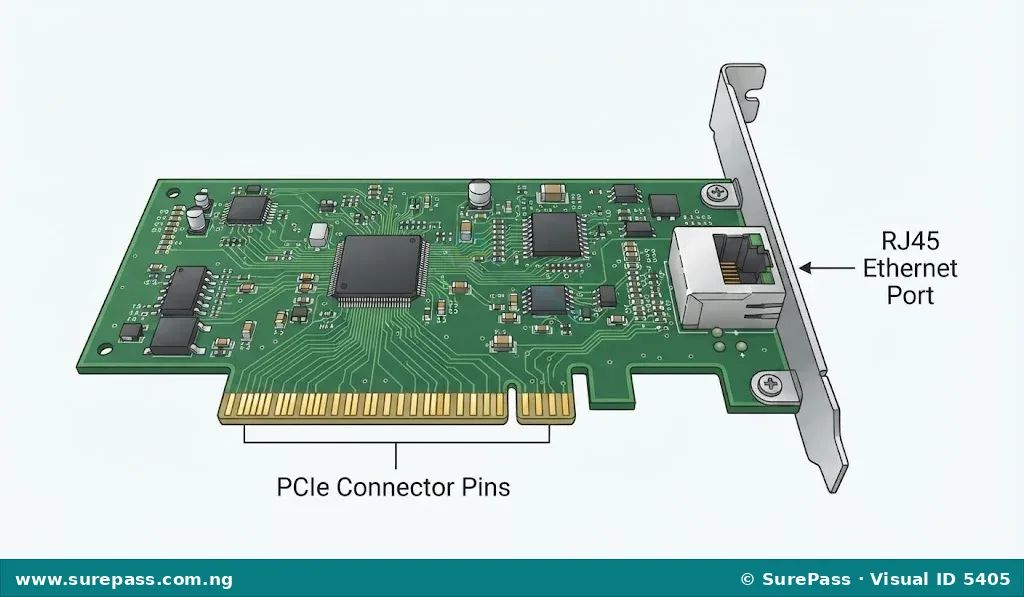
Network Interface Card (NIC)
A Network Interface Card is an expansion card or built-in chip that allows a computer to connect to a network.
The Network Interface Card is also known as a network adapter. It can be wired, featuring a port for a network cable, or wireless, using an antenna to receive radio signals.
The functions of the Network Interface Card are:
- It prepares data from the computer so that it can be transmitted over the network.
- It controls the flow of data between the computer and the transmission medium.
- It provides a physical port where a network cable can be plugged in.
Switch
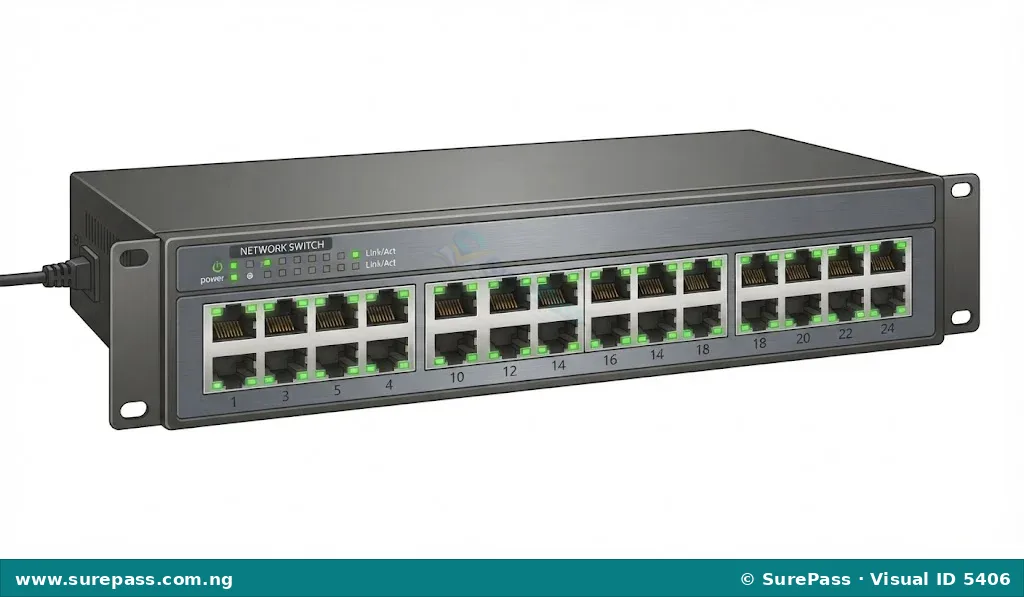
A switch is a hardware device that connects multiple devices on a single computer network.
A switch acts as a central connection point for devices in a local network. Unlike older devices that send data to every connected computer, a switch is intelligent and directs data only to the specific device that needs it.
The functions of a switch are:
- It receives data packets from a sending device on the network.
- It identifies the correct destination device for the received data.
- It forwards the data directly to the destination device, which helps to prevent data traffic congestion.
Network Cable
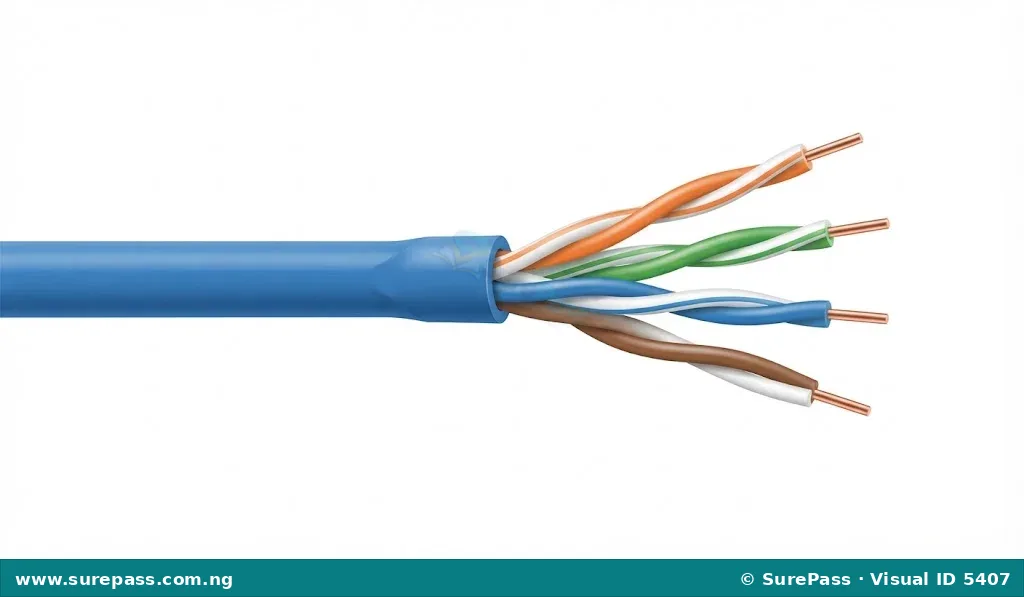
A network cable is a physical medium used to transmit data signals between different devices on a network.
The most common type of network cable used in local networks is the twisted-pair cable, often referred to as an Ethernet cable. These cables contain copper wires twisted together to reduce electrical interference.
The functions of a network cable are:
- It provides a physical path for data signals to travel from one network device to another.
- It carries electrical signals representing data over short and medium distances.
- It connects computers to switches, routers, and other network devices.
RJ45 Connector
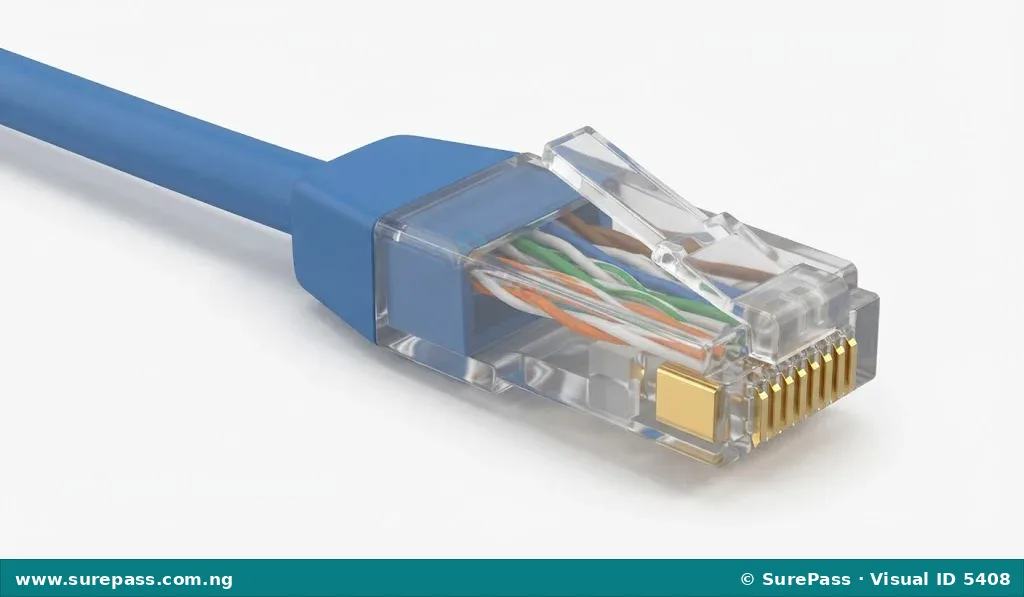
An RJ45 connector is a standardized physical connector used at the ends of network cables to plug into network ports.
The letters “RJ” stand for Registered Jack. It is a small, clear plastic plug that resembles a telephone connector but is slightly larger and contains eight metal pins to match the eight wires inside a network cable.
The functions of the RJ45 connector are:
- It terminates the ends of a network cable so that the cable can be plugged into devices.
- It holds the copper wires of the network cable in place to ensure a secure electrical connection.
- It clips firmly into the network ports of computers, switches, and routers to prevent accidental disconnection.
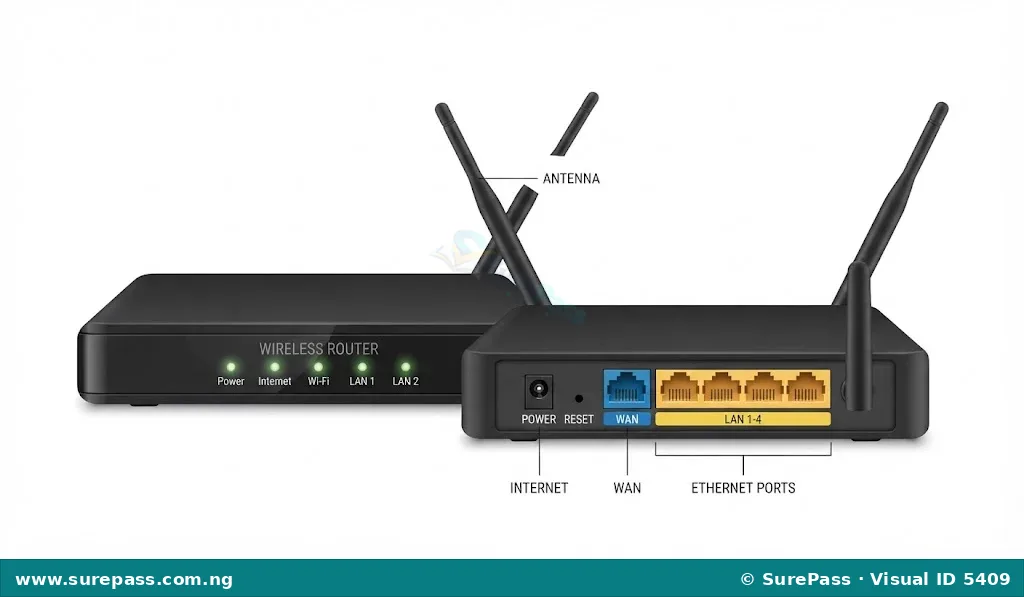
Router
A router is a network device that forwards data packets between different computer networks.
While a switch connects devices within the same network, a router connects different networks together. For example, a router is used to connect a home or school network to the internet.
The functions of a router are:
- It connects different networks together, such as a local school network and the global internet.
- It determines the best and fastest path for data to travel across networks.
- It manages network traffic to ensure that data reaches the correct destination network safely.
Practical Activity: Creating a Network Components Poster
This activity helps learners to identify basic computer network components and illustrate their functions clearly on a poster.
The required materials for this activity are:
- A large sheet of cardboard or poster paper
- Coloured markers or crayons
- A ruler and a pencil
- Printed pictures or drawings of network components (NIC, switch, network cable, RJ45 connector, and router)
- Glue or adhesive tape
The procedure involves the following steps:
- Write the title “Basic Computer Network Components and Their Functions” at the top of the cardboard using bold letters.
- Divide the cardboard into five equal sections using a ruler and pencil.
- Paste the picture or draw the illustration of the Network Interface Card (NIC) in the first section, and write its name and main function below the image.
- Paste the picture or draw the illustration of the Switch in the second section, and write its name and main function below the image.
- Paste the picture or draw the illustration of the Network Cable in the third section, and write its name and main function below the image.
- Paste the picture or draw the illustration of the RJ45 Connector in the fourth section, and write its name and main function below the image.
- Paste the picture or draw the illustration of the Router in the fifth section, and write its name and main function below the image.
- Use coloured markers to highlight the headings and make the poster neat and easy to read.
- Display the completed poster in the classroom or computer laboratory for study reference.




0 comments
Open the discussion when you need it. Comments stay collapsed until requested so the initial article remains light.