



ARTICLE CONTENTSOn this page 5 sections
Spam
Performance Objectives
By the end of the lesson, students should be able to:
- explain the meaning Spam;
- list types of Spam;
- describe ways of avoiding spam.
Meaning of Spam
Spam is unsolicited or unwanted junk messages sent in bulk over the internet, usually through email, instant messaging or short message service (SMS).
Spam messages are typically sent by advertisers, scammers or malicious actors to thousands of recipients at the same time. Senders of spam, known as spammers, obtain email addresses and phone numbers through automated harvesting methods or by purchasing databases. While some spam is merely annoying commercial advertising, other spam messages are dangerous because they contain malicious software or links designed to steal personal information.
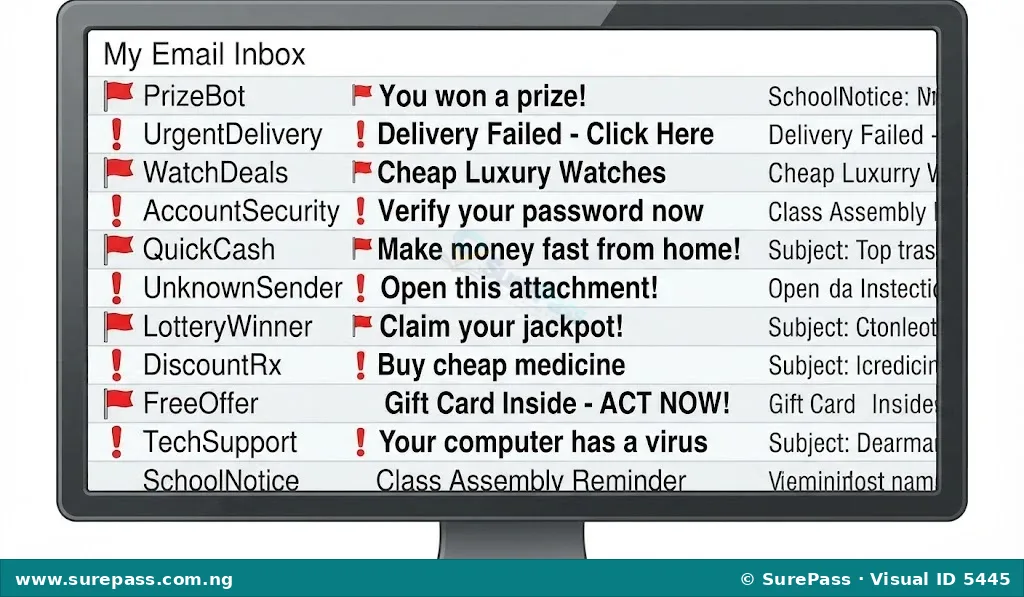
Observe the diagram below showing an inbox filled with unwanted messages.
Types of Spam
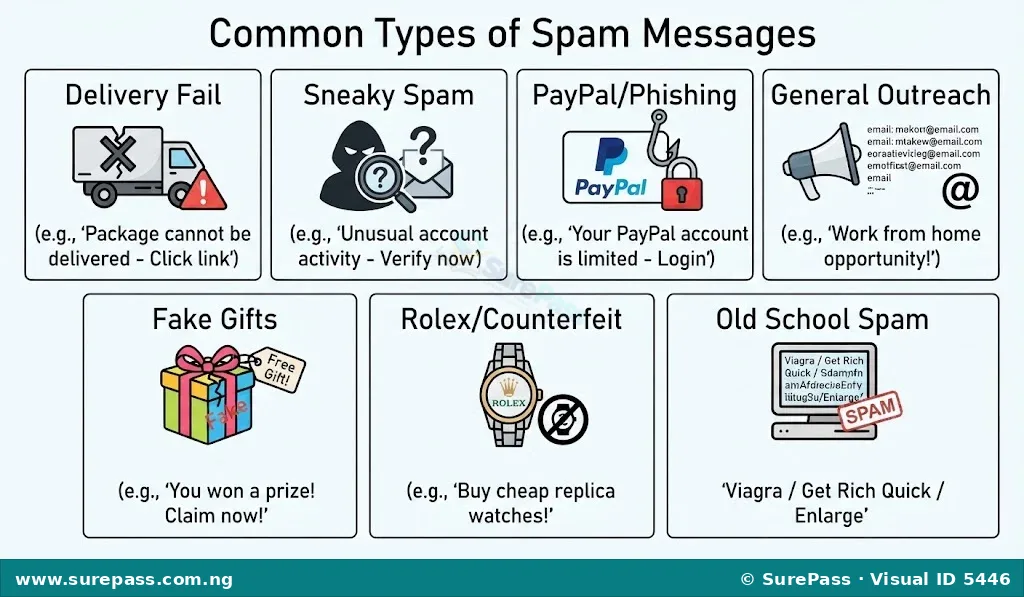
Spam messages come in various forms, each designed with a specific trick to deceive the recipient. The common types of spam include:
- Delivery fail spam: These are fake notifications claiming that an email or a package delivery has failed. The message usually prompts the recipient to click a link or download an attachment to retry the delivery or track the package, which often leads to malware installation.
- Sneaky spam: This type of spam uses deceptive subject lines or sender names to look like a legitimate personal or business message. For example, the subject line might say “Re: Our meeting yesterday” or “Urgent update” to trick the recipient into opening the email.
- Paypal spam: This is a form of phishing spam where the email pretends to come from PayPal or other financial institutions. The message often claims that the recipient’s account has been suspended, limited or charged for an unauthorized transaction, urging them to click a link to log in and resolve the issue.
- General outreach spam: These are unsolicited business pitches, marketing offers or partnership requests sent in bulk to thousands of professionals. Senders of this spam hope that a small percentage of recipients will respond to their business proposals.
- Fake gifts and prizes: These messages congratulate the recipient for winning a lottery, a free smartphone, a luxury holiday or a large cash prize. To claim the prize, the recipient is usually asked to provide personal details or pay a processing fee.
- Rolex Spam: This refers to unsolicited advertisements promoting counterfeit luxury goods, replica watches, cheap pharmaceuticals or illegal software.
- The old school spam: This includes classic chain letters, get-rich-quick schemes and advance-fee fraud emails that promise massive wealth in exchange for initial financial assistance.
Look at the diagram below showing different categories of spam messages.
Ways of Avoiding Spam
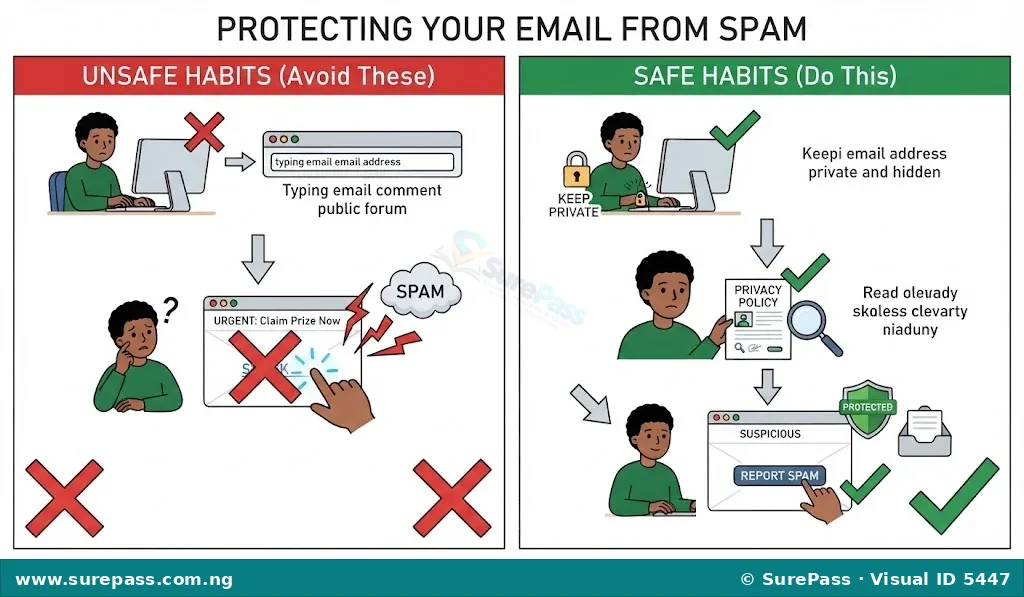
Protecting digital accounts and personal information requires active safety habits. The main ways of avoiding spam include:
- Keep the email address private: Avoid sharing email addresses publicly on websites, forums or social media platforms where automated spam bots can easily harvest them.
- Do not include the email address as part of a signature: When posting in public discussion groups or forums, including an email address in the signature makes it visible to spammers who scan these platforms.
- Do not include the email address in public posts: Writing an email address in the body of a public blog comment or social media post allows web crawlers to collect it for spam lists.
- Do not click on links in a spam email: Clicking links, downloading attachments or replying to a spam email confirms to the spammer that the email address is active and in use, which leads to even more spam. It can also download harmful malware onto the computer system.
- Review the privacy terms on sites before registering: Many websites share or sell user contact information to third-party advertisers. Checking the privacy policy ensures that the website will keep the email address confidential.
Observe the illustration below showing safe practices for avoiding spam.



0 comments
Open the discussion when you need it. Comments stay collapsed until requested so the initial article remains light.