


ARTICLE CONTENTSOn this page 7 sections
Safe Internet Use
Performance Objectives
By the end of the lesson, students should be able to:
- identify safe internet sites;
- state examples of upsetting contents on the internet;
- report upsetting contents to their teachers or parents;
- display good manners while online.
What is Safe Internet Use?
Safe internet use means using the internet in a way that protects a person from harm and keeps personal information private. It involves making smart choices online to stay safe and respectful.
Using the internet safely helps people to learn, play, and communicate without facing dangers or problems. It is important to know how to protect oneself and others when using digital devices connected to the internet.
Identifying Safe Internet Sites
An internet site, also called a website, is a place on the internet where information is stored and can be viewed. Identifying safe internet sites is an important part of safe internet use.
Safe internet sites are usually reliable and trustworthy. They protect a user’s information and do not contain harmful or inappropriate content. Unsafe sites might try to trick people, steal information, or show upsetting things.
How to Identify Safe Websites
There are several ways to check if a website is safe:
- Look for “https://” in the Address Bar: A safe website address usually starts with “https://” instead of just “http://”. The “s” stands for “secure” and means the website protects information sent to it.
- Check for a Padlock Icon: Next to the “https://” in the address bar, there is often a small padlock icon. This icon also shows that the connection to the website is secure.
- Recognise Familiar and Trusted Names: Use websites that are well-known and recommended by parents, teachers, or other trusted adults. Examples include educational websites, news sites, or sites for children’s games that adults have approved.
- Avoid Suspicious Links: Be careful when clicking on links from unknown sources, especially if they look strange or promise things that seem too good to be true.
If a website does not have “https://” or the padlock icon, or if it looks suspicious, it is better to avoid it and ask an adult for help.
Upsetting Content on the Internet
Upsetting content refers to anything online that can make a person feel sad, scared, angry, or uncomfortable. It is important to know what upsetting content looks like and how to react to it.
Examples of Upsetting Content
Some common examples of upsetting content include:
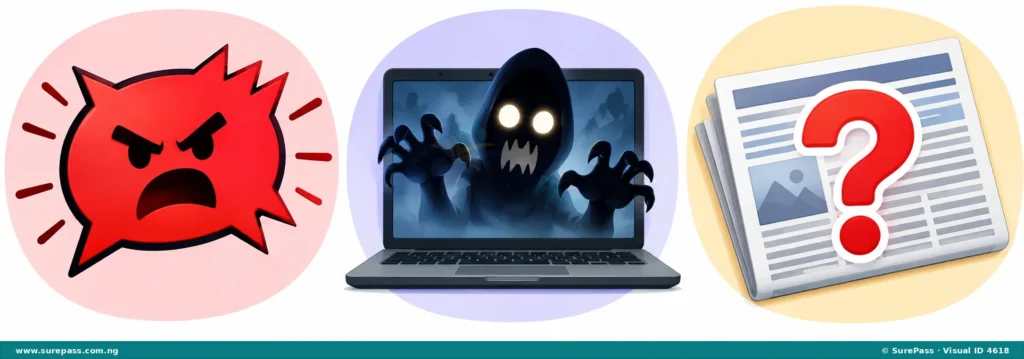
- Hate Speech: This is language that attacks or insults a person or group based on their background, religion, or other differences. It can make people feel hurt and unwelcome.
- Frightening Images or Videos: These are pictures or videos that show scary scenes, violence, or things that are not suitable for children. They can cause fear or nightmares.
- Fake News: This is false information presented as real news. It can be confusing and make people believe things that are not true, which can sometimes be harmful.
Other upsetting content might include cyberbullying, which is when someone is mean to another person online, or content that encourages dangerous activities.
Responding to Upsetting Content
When a person sees upsetting content online, it is important to know what to do to stay safe and get help. The best way to respond is to follow these steps:
- Do Not Respond: Do not reply to the upsetting content or try to argue with the person who posted it. This can sometimes make the situation worse.
- Do Not Share: Do not share the upsetting content with friends or other people. Sharing it can spread the harm.
- Close the Page or App: Immediately close the website page or the application where the upsetting content was found.
- Tell a Trusted Adult: The most important step is to tell a parent, teacher, or another trusted adult about what was seen. They can help to report the content and ensure safety.
Trusted adults can provide support, block the upsetting content, or report it to the internet service provider or website administrators. It is never a person’s fault if they see upsetting content online.
Netiquette: Good Online Manners
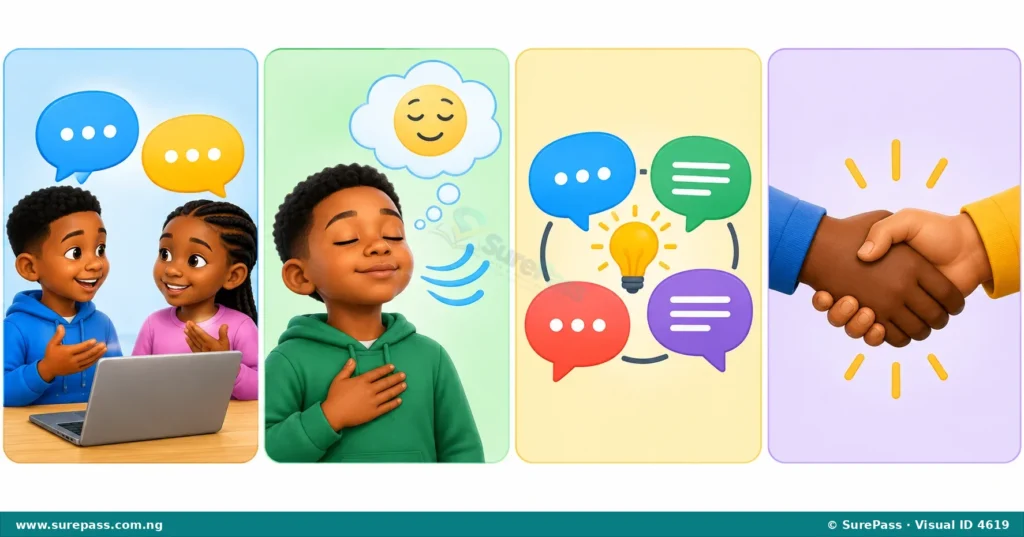
Netiquette is a short word for “internet etiquette,” which means good manners or polite behaviour when using the internet. Just like in real life, it is important to be respectful and kind to others online.
Practising good netiquette helps to create a friendly and safe online environment for everyone. It shows respect for other people’s feelings and privacy.
Principles of Good Online Manners
Important rules for good netiquette include:
- Respect Others’ Privacy and Yours: Do not share personal information about yourself or others, such as full names, addresses, phone numbers, or school names, unless a trusted adult says it is safe. Do not share private messages or pictures of others without their permission.
- Cool Off Before Responding to Messages in Anger: If a message makes a person angry or upset, it is best to take a break and calm down before replying. Responding in anger can lead to arguments and misunderstandings.
- Promote Healthy Discussions: When talking online, try to be positive and helpful. Share ideas respectfully and listen to what others have to say, even if there is disagreement. Avoid using bad language or making fun of others.
- Respect Others as Equals: Treat everyone online with kindness and respect, just as in real life. Remember that behind every screen is a real person with feelings. Do not bully or make others feel bad.
By following these rules, people can make the internet a better and safer place for themselves and for everyone else.
0 comments
Open the discussion when you need it. Comments stay collapsed until requested so the initial article remains light.