



ARTICLE CONTENTSOn this page 8 sections
Office Equipment
Performance Objectives
By the end of the lesson, students should be able to:
- state the meaning of office equipment;
- identify the types and uses of office equipment;
- discuss the importance of various office equipment in business;
- select appropriate office equipment for various tasks;
- maintain and care for office equipment.
Meaning of Office Equipment
Office equipment refers to the tools, machines, and furniture used in an office to perform daily tasks and operations.
These items help workers to carry out their duties efficiently, making work easier, faster, and more organised. They are essential for the smooth running of any business or organisation.
Types and Uses of Office Equipment
Office equipment can be grouped into different categories based on their function. For JSS1, the focus is on digital devices and electronics, and office furniture.
Digital Devices and Electronics
These are modern tools that use electricity and often involve computer technology to help with communication, data processing, and document handling.
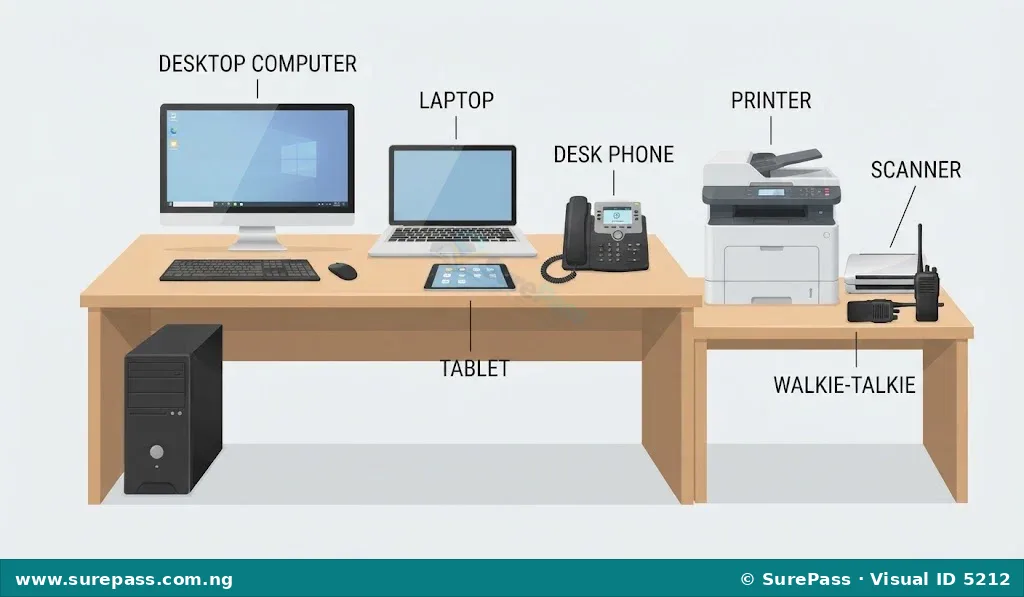
Common digital devices and electronics in an office include:
- Desktops: These are personal computers that are usually placed on a desk. Desktops are used for typing documents, browsing the internet, sending emails, and performing various office tasks.
- Laptops: Laptops are portable computers that can be carried around. They perform similar functions to desktops but offer flexibility for working in different locations.
- Tablets: These are portable touchscreen devices, smaller than laptops but larger than smartphones. Tablets are used for reading, browsing, presentations, and light work.
- Printers: A printer is a machine that produces hard copies of documents or images from a computer onto paper.
- Scanners: A scanner converts physical documents, pictures, or objects into digital images that can be stored on a computer.
- Phones: Office phones are used for making and receiving calls, which is crucial for communication with clients, colleagues, and other businesses.
- Walkie-talkies: These are two-way radio devices used for short-range, direct communication between people within a specific area, such as a large office building or a factory.
- Bluetooth device: Bluetooth devices allow for wireless connection between electronic devices over short distances. Examples include wireless headsets for calls or connecting a mouse to a computer without cables.
- WiFi: WiFi provides wireless internet access, allowing computers, phones, and other devices to connect to the internet without needing physical cables.
Office Furniture
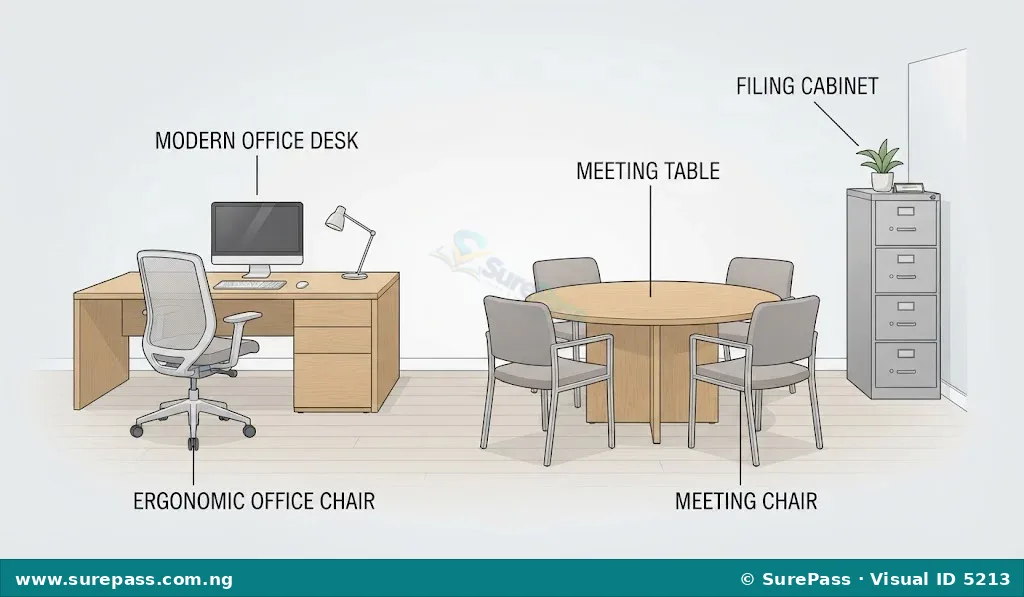
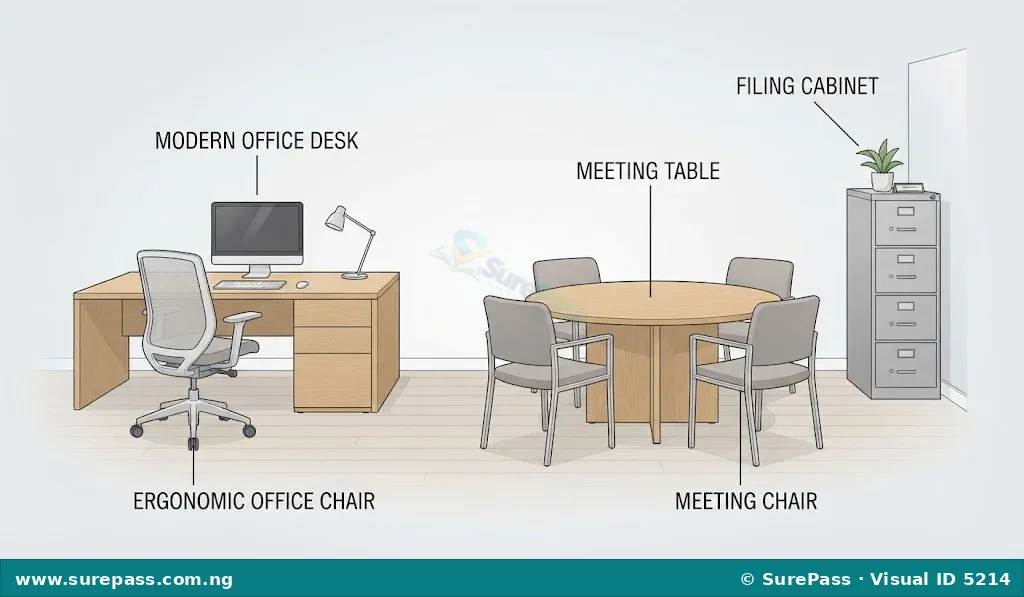
Office furniture includes items that provide comfort, support, and storage in the office environment.
Common office furniture includes:
- Tables: Tables provide flat surfaces for various activities such as meetings, placing equipment, or holding documents.
- Desks: Desks are specific types of tables designed for individual work. They often have drawers or compartments for storing stationery and personal items.
- Cabinets: Cabinets are storage units with shelves and doors. They are used for keeping important documents, files, and office supplies organised and secure.
Importance of Office Equipment in Business
Office equipment plays a vital role in the success and smooth operation of any business. Without these tools, many tasks would be difficult, slow, or impossible to complete.
The importance of office equipment includes:
- Improving Efficiency: Equipment like computers and printers helps to complete tasks much faster than doing them manually. For example, typing a document on a computer is quicker than writing it by hand.
- Enhancing Communication: Phones, walkie-talkies, and WiFi enable quick and easy communication within the office and with people outside the business. This helps in making decisions and coordinating activities.
- Better Organisation: Desks, tables, and cabinets help to keep the office tidy and organised. Documents and supplies can be stored properly, making them easy to find when needed.
- Increased Productivity: When tasks are completed faster and communication is smooth, workers can achieve more in less time, leading to higher productivity for the business.
- Professionalism: Using modern and well-maintained equipment helps a business present a professional image to clients and visitors.
- Data Management: Computers and scanners help in storing, retrieving, and managing large amounts of information digitally, which is safer and more efficient than paper-based systems.
Factors to Consider When Selecting Office Equipment
Choosing the right office equipment is important for a business. Several factors should be considered to ensure that the selected items meet the needs of the office.
- Functionality and Features: This refers to what the equipment can do and its specific capabilities. Before buying, a person should ask if the equipment can perform all the necessary tasks. For example, a printer might have features like scanning and copying, which could be useful.
- Quality and Durability: Quality refers to how well the equipment is made, and durability means how long it is expected to last. High-quality and durable equipment may cost more initially but can save money in the long run by reducing repair costs and the need for frequent replacements.
- Cost-effectiveness: This involves looking at the price of the equipment in relation to its benefits and expected lifespan. It is important to choose equipment that offers good value for money, considering both the purchase price and running costs like electricity or ink.
Selecting Appropriate Office Equipment for Various Tasks
Selecting the right equipment for a task involves understanding the task and then matching it with the most suitable tool. This helps to ensure work is done effectively and efficiently.
The process of selecting office equipment involves the following steps:
- Identify the Task: First, clearly understand what needs to be done. For example, is it typing a letter, making a phone call, storing files, or printing a document?
- Consider Functionality: Think about which equipment has the features needed for that specific task. If a person needs to type and send an email, a computer (desktop or laptop) with internet access is appropriate. If physical documents need to be stored, a cabinet is needed.
- Evaluate Options: Look at different brands or models of the suitable equipment. Compare their features, quality, and prices.
- Choose the Best Fit: Select the equipment that best meets the task’s requirements, offers good quality, and is cost-effective for the business.
For example, if the task is to create and print a report, the following equipment would be needed:
- A computer (desktop or laptop) to type the report.
- A printer to get a hard copy of the report.
- WiFi to access information online for the report.
Maintaining and Caring for Office Equipment
Proper maintenance and care help office equipment last longer, work better, and save the business money on repairs or replacements. It also ensures a safe working environment.
Important tips for maintaining and caring for office equipment include:
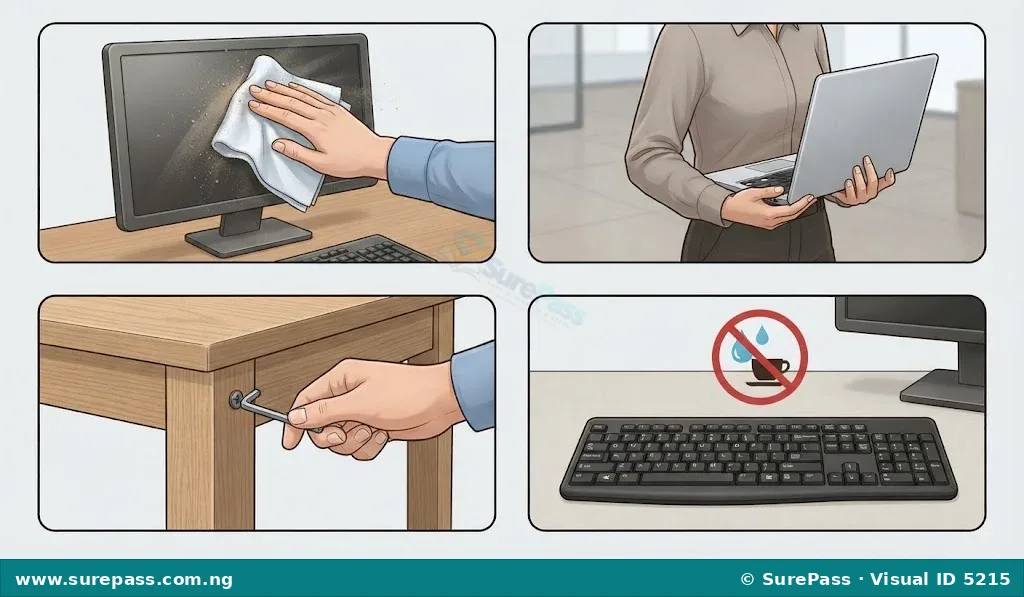
- Keep Equipment Clean: Regularly wipe down surfaces of desks, tables, computers, and printers with a soft, dry cloth. Dust can damage electronic devices.
- Handle with Care: Avoid dropping or hitting equipment. For example, laptops should be carried carefully, and drawers of cabinets should not be slammed shut.
- Follow User Manuals: Always read and follow the instructions provided by the manufacturer for each piece of equipment. This includes how to use, clean, and store it.
- Protect from Spills: Keep food and drinks away from electronic devices like computers and printers to prevent accidental spills that can cause serious damage.
- Proper Shutdown: Always shut down computers and other electronic devices properly according to their operating system instructions. Do not just unplug them.
- Regular Checks: Periodically check furniture like desks and chairs for loose screws or parts and tighten them to prevent accidents and extend their life.
- Avoid Overloading: Do not put too much weight on shelves in cabinets or on desks, as this can cause them to break or collapse.
- Report Faults: If any equipment is not working correctly or appears damaged, report it to an adult or the appropriate person immediately so it can be repaired or replaced.




0 comments
Open the discussion when you need it. Comments stay collapsed until requested so the initial article remains light.