


ARTICLE CONTENTSOn this page 8 sections
Digital Communication (email)
Performance Objectives
By the end of the lesson, students should be able to:
- state the meaning and uses of an email;
- compose and reply to emails politely and correctly.
Introduction to Digital Communication
In today’s world, sending messages and sharing information quickly is very important. Digital communication refers to the exchange of information using electronic devices and the internet. It allows people to connect across different locations almost instantly. One of the most common and widely used forms of digital communication, especially for formal and semi-formal purposes, is email.
Meaning of Email
An email, short for electronic mail, is a method of exchanging digital messages between people using electronic devices.
Email messages are sent over computer networks, primarily the internet. They can contain text, files, images, and other attachments. Email is a fast, efficient, and cost-effective way to communicate, making it a popular choice for various purposes.
Uses of Email
Email is a versatile tool used for many different types of communication. Its main uses can be categorised into personal, academic, and professional communication.
Personal Communication
For personal use, email allows individuals to stay in touch with friends and family, especially those who live far away. It is often used for:
- Sending updates and news to relatives.
- Sharing photos and videos with friends.
- Organising social events and gatherings.
- Sending informal messages or greetings.
Academic Communication
In an academic setting, email is an essential tool for students, teachers, and school administrators. It facilitates communication related to learning and school activities. Academic uses include:
- Submitting assignments to teachers.
- Asking teachers questions about lessons or homework.
- Receiving important announcements from the school or lecturers.
- Collaborating on group projects with classmates.
- Requesting academic records or information from the school office.
Professional Communication
Email is a cornerstone of communication in the workplace and business environments. It is used for formal and official exchanges, helping to maintain clear and documented communication. Professional uses include:
- Sending official letters and documents to colleagues or clients.
- Scheduling meetings and appointments.
- Sharing project updates and reports.
- Applying for jobs or internships.
- Communicating with customers or service providers.
Composing an Email
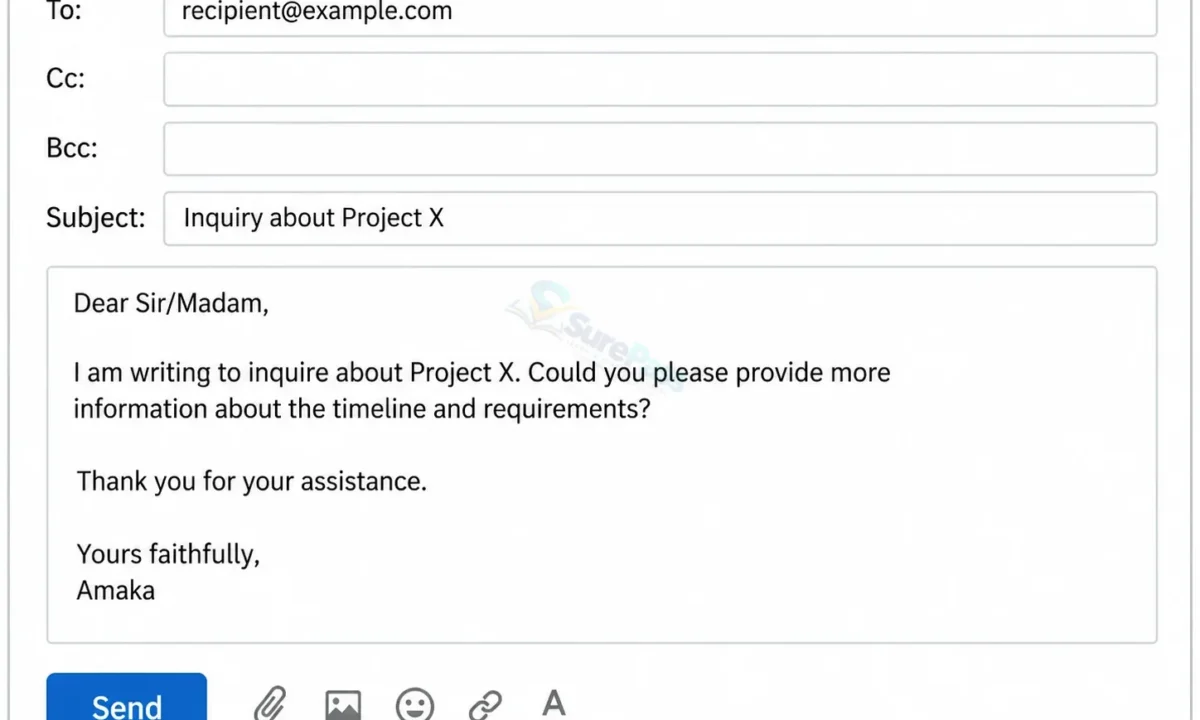
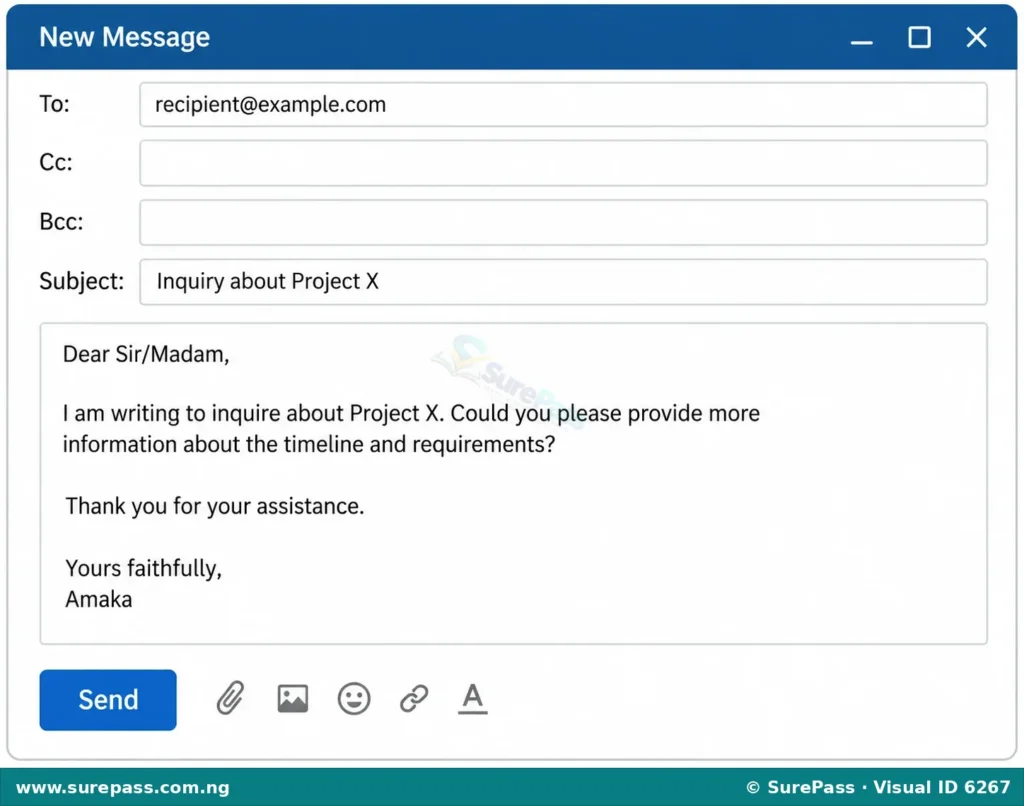
Composing an email involves understanding its structure and using appropriate language. A well-composed email is clear, concise, and polite. The main parts of an email are the recipient fields, subject line, salutation, body, and closing.
Recipient Fields
These fields specify who will receive the email:
- To: This is where you enter the email address of the primary recipient(s). These are the people for whom the email is directly intended.
- Cc (Carbon Copy): This field is used to send a copy of the email to people who need to be informed but are not the primary recipients. Everyone in the ‘To’ and ‘Cc’ fields can see each other’s email addresses.
- Bcc (Blind Carbon Copy): This field is used to send a copy of the email to people discreetly. Recipients in the ‘To’ and ‘Cc’ fields will not see the email addresses of those in the ‘Bcc’ field. This is useful for sending emails to a large group of people while protecting their privacy.
Subject Line
The subject line is a brief summary of the email’s content. It is the first thing the recipient sees and helps them decide if the email is important and what it is about. A good subject line should be:
- Clear and Specific: For example, instead of “Question,” use “Question about English Assignment.”
- Concise: Keep it short, usually under 50 characters.
- Relevant: It should accurately reflect the email’s content.
Salutation (Greeting)
The salutation is the greeting at the beginning of the email. The level of formality depends on your relationship with the recipient and the purpose of the email.
- Formal: “Dear Mr. Adebayo,” “Dear Ms. Okoro,” “Dear Sir/Madam,” (if you don’t know the name).
- Semi-formal: “Dear John,” “Hello Mrs. Eze,”
- Informal: “Hi Tunde,” “Hello Sarah,”
Body of the Email
This is the main message of your email. It should be:
- Polite: Use courteous language. Avoid slang, abbreviations (like “LOL” or “BTW”), and overly casual expressions, especially in academic or professional emails.
- Correct: Ensure your grammar, spelling, and punctuation are accurate. Proofread your email before sending it.
- Clear and Concise: Get straight to the point. Organise your thoughts into short paragraphs.
- Respectful: Address the recipient appropriately and avoid demanding tones.
Closing
The closing is a polite farewell before your signature. Like the salutation, its formality depends on the context.
- Formal: “Sincerely,” “Regards,” “Yours faithfully,” (if you used “Dear Sir/Madam”).
- Semi-formal: “Best regards,” “Kind regards,”
- Informal: “Thanks,” “Cheers,” “Talk soon,”
Signature
After the closing, include your full name. In academic or professional emails, you might also include your title, department, or contact information.
Example of a Well-Composed Email
Here is an example of an email composed politely and correctly for an academic purpose:
To: Mr.Adebayo@school.com
Subject: Inquiry about English Assignment – SS1 Literature
Dear Mr. Adebayo,
My name is Amina Musa, an SS1 student in your English Literature class. I am writing to seek clarification regarding the deadline for the upcoming literature assignment on “The Lion and the Jewel.”
I recall you mentioning a deadline of Friday, 15th October, but I wanted to confirm if this is still correct, as I have been reviewing my notes.
Thank you for your time and assistance.
Sincerely,
Amina Musa
SS1 A
Replying to an Email
Replying to an email correctly is just as important as composing one. When you reply, you continue a conversation, so it is important to maintain clarity and politeness.
Steps for Replying to an Email
- Reply Promptly: Try to respond to emails within a reasonable timeframe, especially for academic or professional messages.
- Use “Reply” or “Reply All” Appropriately:
- Reply: Use “Reply” when your response is only for the sender of the email.
- Reply All: Use “Reply All” when your response is relevant to everyone who received the original email (all recipients in the ‘To’ and ‘Cc’ fields). Be careful not to use “Reply All” unnecessarily, as it can clutter other people’s inboxes.
- Maintain the Subject Line: Usually, when you reply, the subject line automatically includes “Re:” (meaning “regarding”) before the original subject. Keep this to maintain context.
- Quote Previous Messages (if necessary): If you are responding to specific points in a long email, it can be helpful to quote parts of the original message to ensure clarity. Most email clients do this automatically when you reply.
- Be Polite and Correct: Just like composing a new email, ensure your reply is polite, grammatically correct, and free of spelling errors.
- Address All Questions: If the original email asked multiple questions, make sure your reply addresses all of them clearly.
- Keep it Concise: Avoid lengthy replies if a shorter one will suffice.
Example of a Polite and Correct Reply
Following up on Amina’s email, here is a possible reply from Mr. Adebayo:
To: Amina.Musa@student.com
Subject: Re: Inquiry about English Assignment – SS1 Literature
Dear Amina,
Thank you for your email. I can confirm that the deadline for the literature assignment on “The Lion and the Jewel” is indeed Friday, 15th October.
Please let me know if you have any further questions.
Best regards,
Mr. Adebayo
English Department
Using CC, BCC, and Reply All Appropriately
Understanding when to use CC, BCC, and Reply All is crucial for effective and professional email communication.
When to Use CC (Carbon Copy)
Use CC when you want to keep someone informed about an email conversation, but they are not the primary recipient or the person expected to take action. Everyone in the ‘To’ and ‘Cc’ fields can see each other’s email addresses.
Examples of appropriate CC use include:
- Keeping a supervisor informed: If you are emailing a client, you might CC your manager so they are aware of the communication.
- Informing team members: When discussing a project with one team member, you might CC others who need to know the progress.
- Sharing information with a parent/guardian: A teacher might email a student about a project and CC their parent/guardian.
When to Use BCC (Blind Carbon Copy)
Use BCC when you want to send a copy of an email to someone without the other recipients knowing. The email addresses in the BCC field are hidden from everyone else.
Examples of appropriate BCC use include:
- Sending to a large group: When sending a general announcement to many people who do not know each other (e.g., a school newsletter to all parents), using BCC protects their privacy by not revealing their email addresses to everyone else.
- Discreetly informing someone: If you need to send an email to a colleague and also want to inform another person (e.g., a manager) without the colleague knowing, you can BCC the manager.
- Self-archiving: Some people BCC themselves to keep a copy of important emails in a separate folder.
When to Use Reply All
Use “Reply All” when your response is relevant to every person who received the original email. This means everyone in the ‘To’ and ‘Cc’ fields of the original message will receive your reply.
Examples of appropriate “Reply All” use include:
- Responding to a group question: If a teacher sends an email to the entire class asking for feedback on a topic, and your feedback is relevant to everyone, use “Reply All.”
- Confirming attendance for a group event: If an organiser sends an invitation to a meeting or event and asks for RSVPs, using “Reply All” can inform everyone of your attendance.
- Continuing a group discussion: If an email chain involves multiple people discussing a project, and your contribution is important for all of them, use “Reply All.”
Caution: Always think carefully before using “Reply All.” If your message is only relevant to the original sender, use “Reply” instead. Unnecessary “Reply All” messages can be annoying and unprofessional, especially in large group emails.



0 comments
Open the discussion when you need it. Comments stay collapsed until requested so the initial article remains light.